Kata Shell
A file manager for people who came to the Mac from Windows.
Native macOS app — Swift and AppKit. No Electron, no web views.
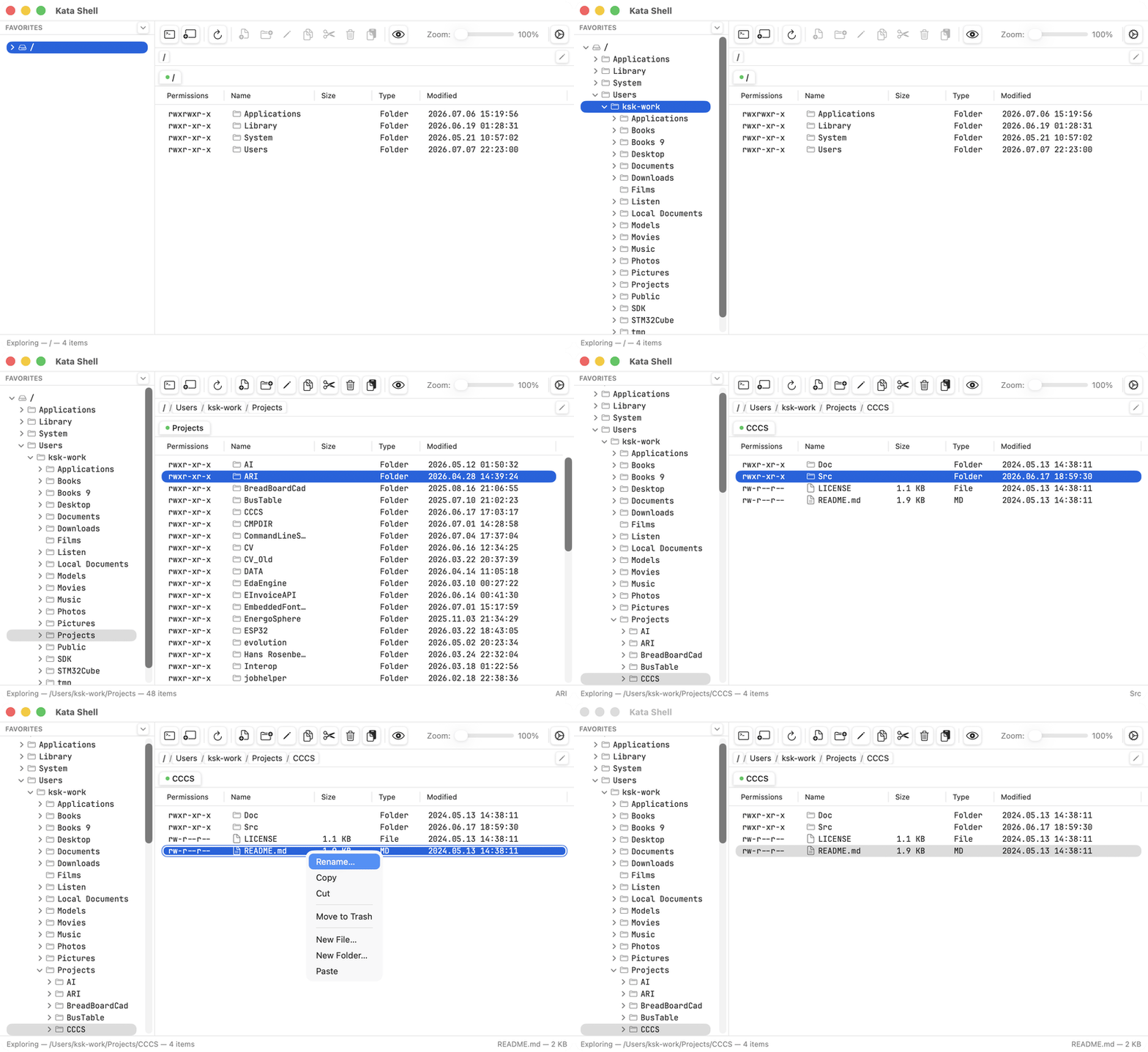
why-this-exists
Built by a Windows developer who switched.
I spent close to thirty years building software on Windows. When I moved to a Mac, I liked the machine — and missed my file manager. Finder is fine; it's just not built around the way I work: a directory tree on the left, a details view with permissions and dates, function keys that do things, a terminal one keystroke away.
So I built the tool I was missing. If your muscle memory grew up on Explorer or FAR, Kata Shell should feel familiar on day one — and then give you a few things Windows never had.
features
Feels like home. Then it keeps going.
The layout you already know
Directory tree on the left. Details view on the right: permissions, size, type, dates — in sortable columns you can show and hide. Tabs across the top. Nothing to relearn on day one.
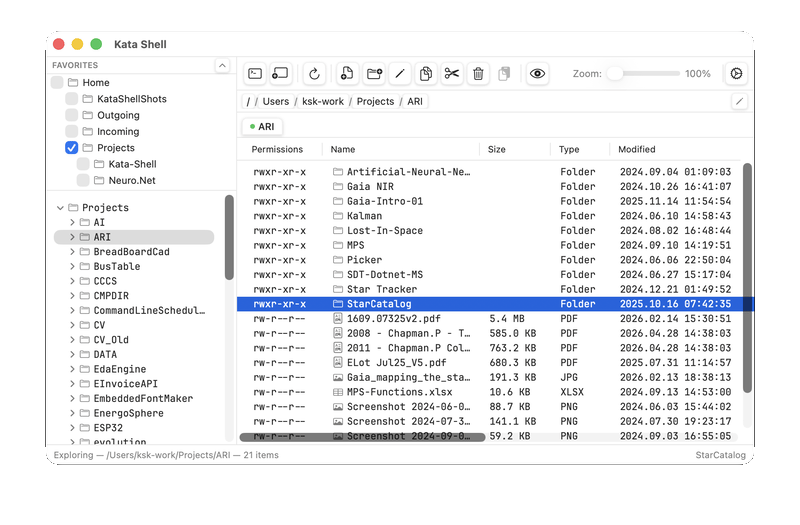
Keyboard first
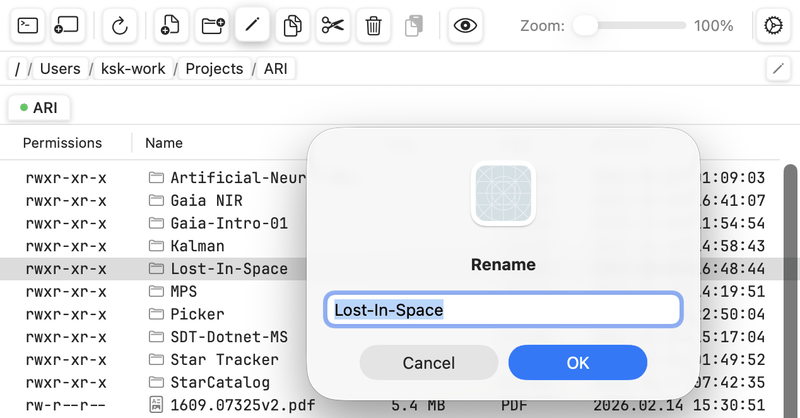
F2 renames. F3 views. F4 edits. Arrow keys walk the tree. Your hands already know this — they just haven't been allowed to do it on a Mac until now.
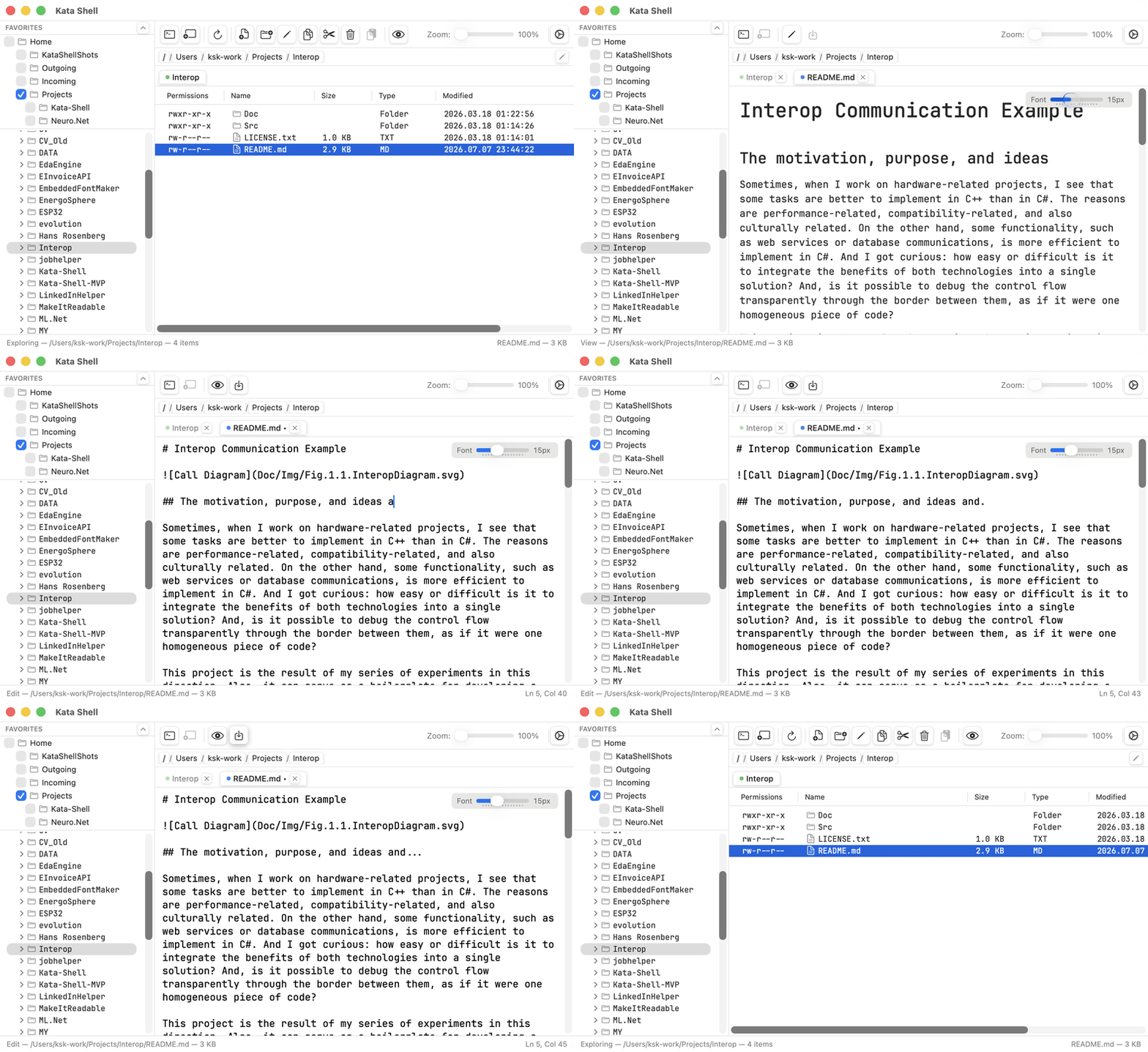
View and edit documents easy and directly
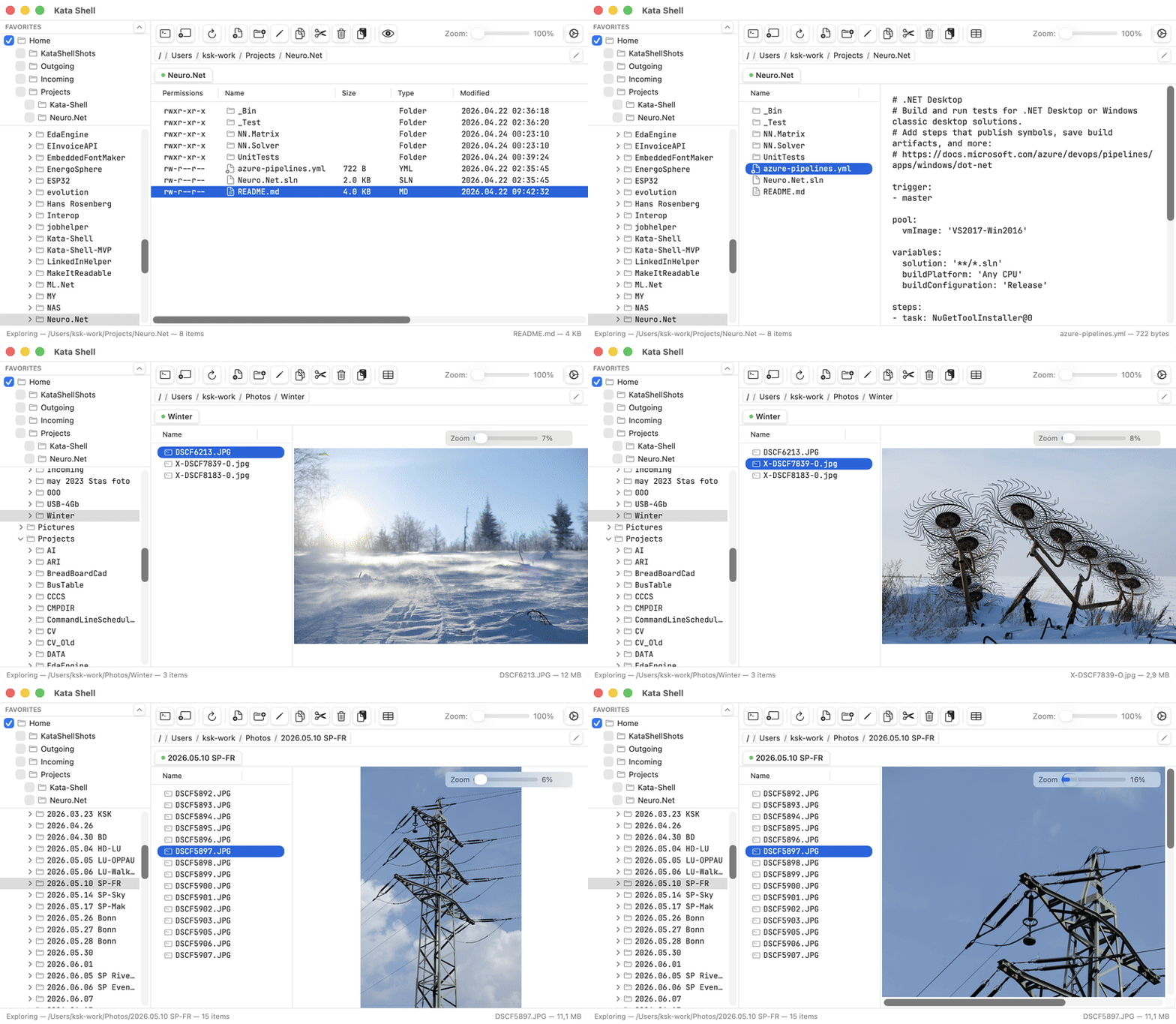
Text, Markdown with live preview — opened right where you are, without launching another app for a five-second look. Editing happens in tabs, so a quick fix to a config or a README never takes you away from your folders.
Preview documents and images in place
Text and Markdown documents are easily visible in the preview mode without running external viewers / editors
Images are represented with zoom from 1% to 400% — opened in place, initially fitted to the available space, and can be zoomed in or out as needed.
Made for your eyes and your display
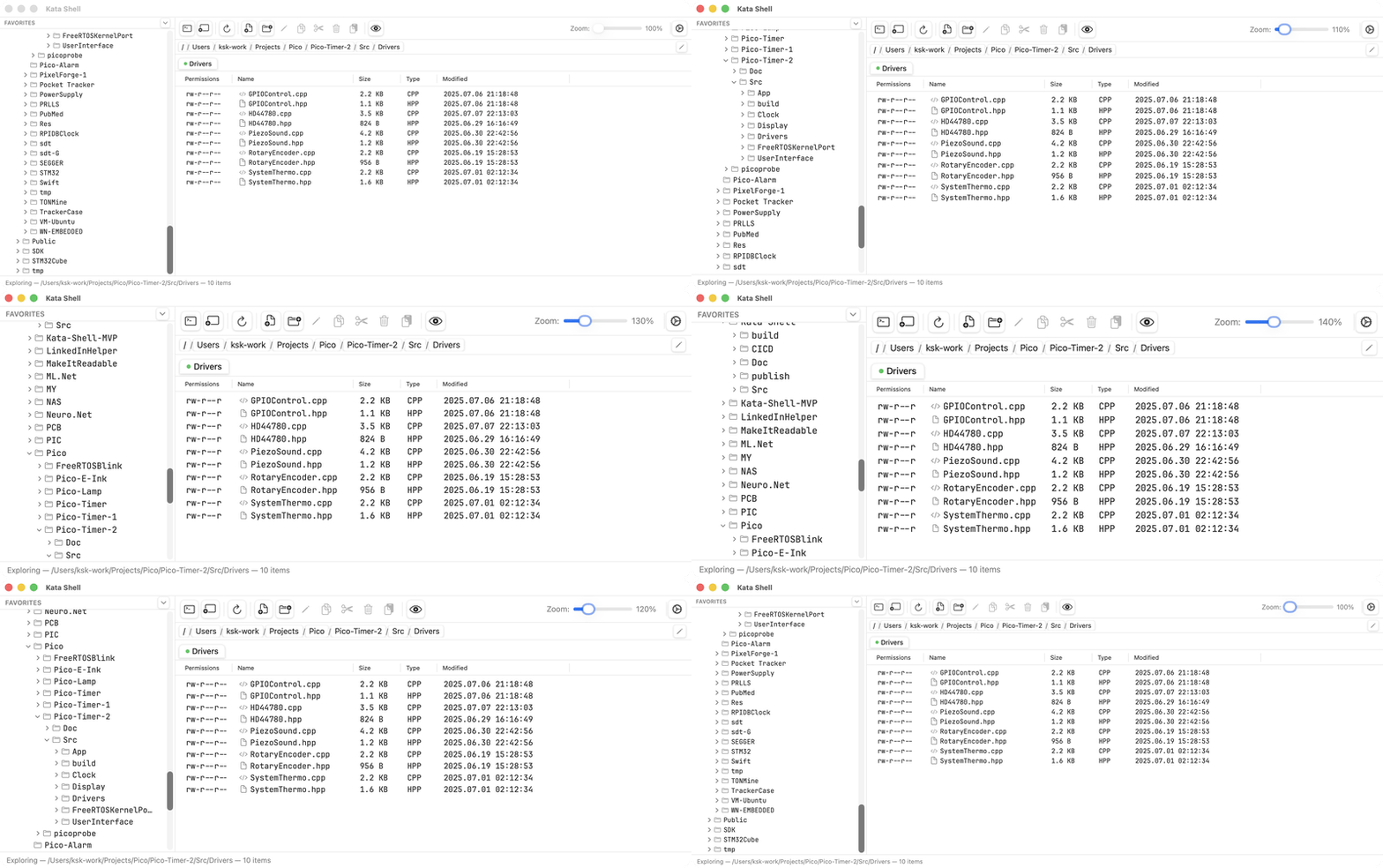
Content zoom scales the entire working area — tree, columns, everything — from 100% to 200%. Pick the density that suits a 14-inch laptop screen or a 32-inch monitor. Something Explorer never learned.
And then there's the terminal.
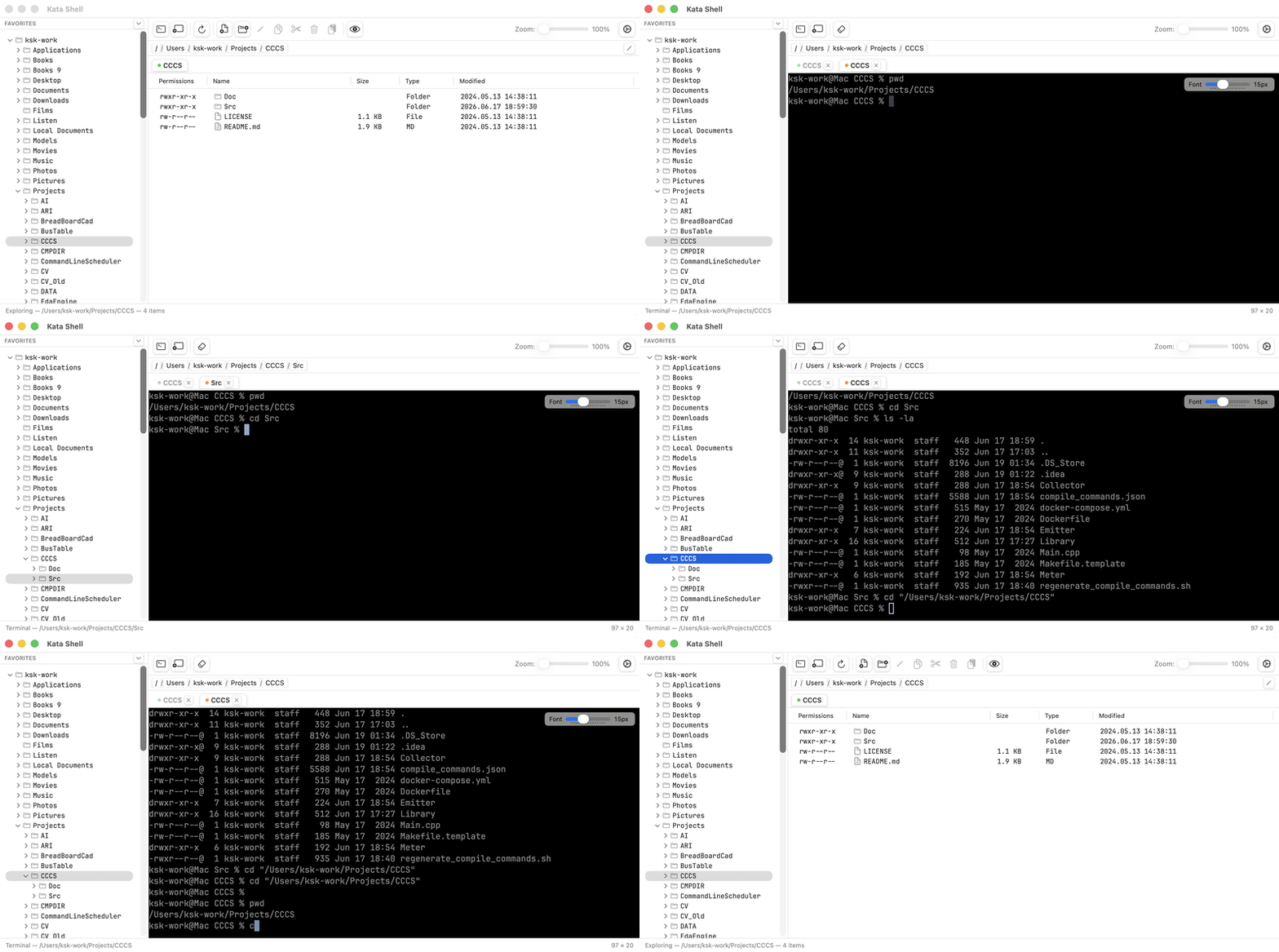
Not a "terminal-like panel" — a real shell session, built in, that follows the folder you're browsing. Click your way somewhere, drop to the prompt, run a command, go back to clicking. Two ways of working with files, finally in one window.
The other half of the name, if you were wondering.
early-access
Free while in early access.
Kata Shell is the tool I use every day, and it's young. During early access it's free — and I'd genuinely like to hear what's broken or missing, because this is the moment when feedback shapes the product.
Version 1.0 will cost €29: one payment, a year of updates, and the version you have stays yours forever. No subscription.
Every early-access key already covers updates through March 2028 — well past when I expect 1.0 to ship. No separate purchase, no swap, nothing to redo when 1.0 arrives: the key you get today keeps working. That's the thank-you for trying it early.
faq
Fair questions.
Why isn't it in the Mac App Store?
The App Store requires sandboxing, which would cripple exactly what makes a file manager useful: browsing your whole disk and running a real shell. Kata Shell is signed and notarized by Apple instead — macOS verifies it hasn't been tampered with, without the sandbox restrictions.
macOS asks for permission when I open some folders. Why?
That's macOS protecting Desktop, Documents and similar locations — it does this for every app. Kata Shell can walk you through granting Full Disk Access once, or you can allow folders one by one. Your call.
Does it phone home?
No analytics, no telemetry. The only network request the app makes is checking for updates — and you can turn that off.
Windows or Linux version?
No. Kata Shell is built directly on macOS frameworks — that's what makes it fast and native, and it's a deliberate trade-off.
How do I uninstall Kata Shell?
Drag it from your Applications folder to the Trash — that's the whole procedure. If you're coming from Windows: there is no uninstaller because there's nothing for it to do. Kata Shell arrives as a single self-contained app, doesn't run an installer, and doesn't scatter files across your system. The only things left behind are your own settings (so they survive if you reinstall later) and any folder-access permissions you granted. If you want those gone too, run these two commands in Terminal:
defaults delete app.katashell.KataShelltccutil reset All app.katashell.KataShell